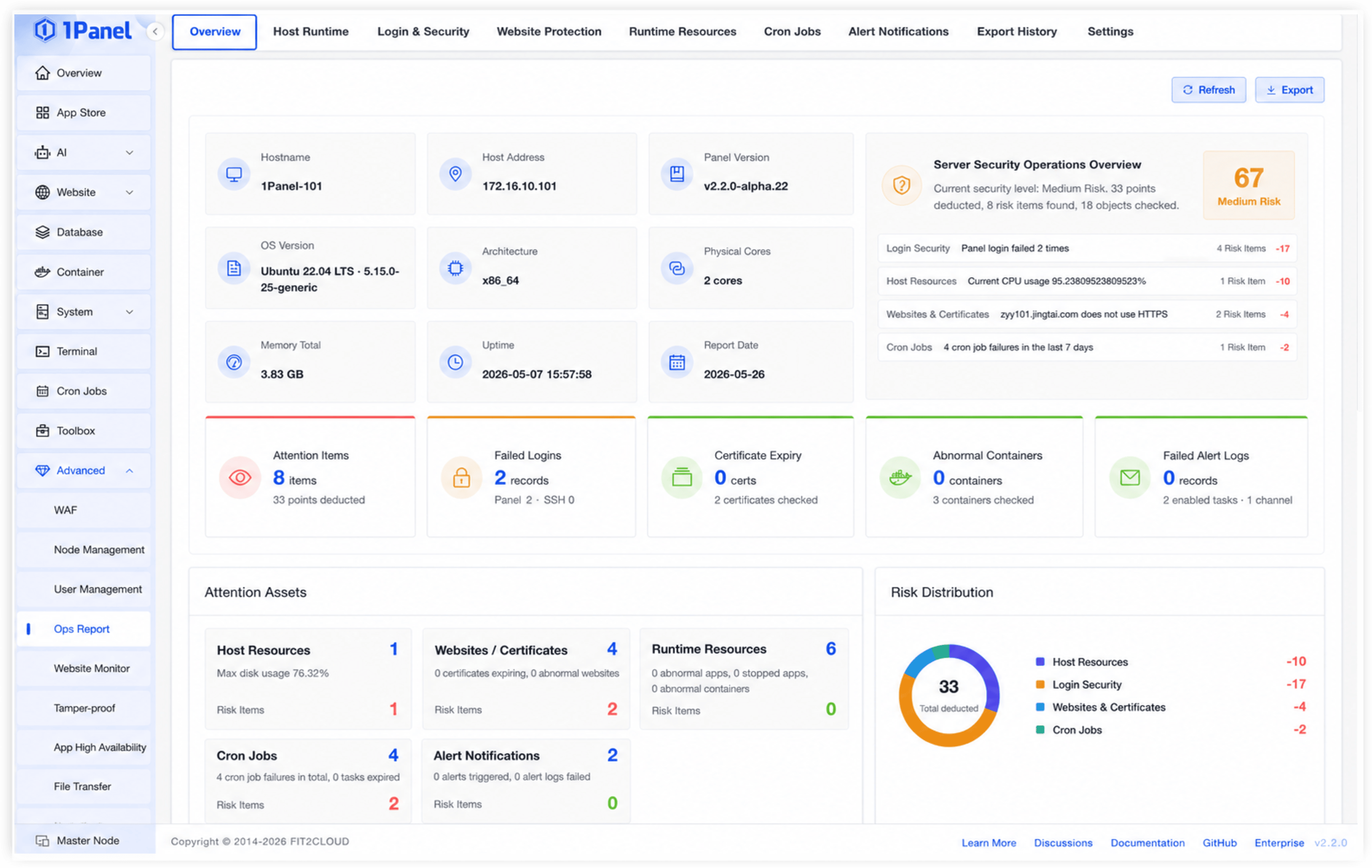
Risk Overview, Ops Status
Centered on overview, host running, login & security config, website protection, running resources, scheduled tasks, alert notifications, export history, and settings to build security ops reports.
Risk Overview Function: Aggregates key status from system, security, website, and operations perspectives, presenting risk items that need attention.
Value: Helps administrators quickly understand overall security and operations status, prioritizing high-risk issues.
Host Running Status Function: Displays host running status in report format for easy server health monitoring.
Value: Reduces daily inspection costs and helps administrators detect host anomalies promptly.
Login & Security Config Function: Summarizes login-related status and security configurations to help administrators verify security policies.
Value: Enhances account access and system login security, reducing risks from misconfigurations.
Website Protection Function: Displays website protection status to help administrators monitor website-side security.
Value: Facilitates timely identification of pending website security items, improving website operation security.
Running Resources Function: Aggregates resource running status into viewable and trackable report data.
Value: Helps administrators understand resource usage, providing a basis for optimization and troubleshooting.
Scheduled Tasks Function: Displays scheduled task execution status, helping administrators monitor automation task health.
Value: Reduces the chance of ignored task anomalies, improving operational stability.
Alert Notifications Function: Summarizes alert notification configuration and status for unified visibility into alerting capabilities.
Value: Helps administrators promptly detect alert pipeline issues, ensuring anomalies are perceived in time.
Export History Function: Supports viewing report export history for traceability and archiving of security ops records.
Value: Enables organizations to retain ops reports for internal review, audit, and management needs.
Report Settings Function: Supports configuration management of security ops report capabilities.
Value: Increases report flexibility, allowing adjustments based on actual enterprise scenarios.